OpenRouter Setup Guide
OpenRouter is a multi-model aggregation platform that lets you access 100+ AI models with a single API Key.
What is OpenRouter?
OpenRouter is an AI model aggregation service platform with these features:
- Rich models: Aggregates 100+ models including GPT-4, Claude, Llama, and more
- Unified interface: One API Key accesses all models
- Pay per use: Only pay for Tokens used, no monthly fees
- Transparent pricing: Clear pricing for each model
Getting an API Key
Step 1: Register an Account
- Visit the OpenRouter website
- Click "Sign In" in the top right
- Register with Google, GitHub, or email
Step 2: Add Credits
- After logging in, click the account icon in the top right
- Go to the "Credits" page
- Click "Add Credits" to top up
- Supports credit card and cryptocurrency payments
Step 3: Create an API Key
- Go to the "Keys" page
- Click "Create Key"
- Name your key (e.g., "Chatbox")
- Copy the generated key
Configure in Chatbox
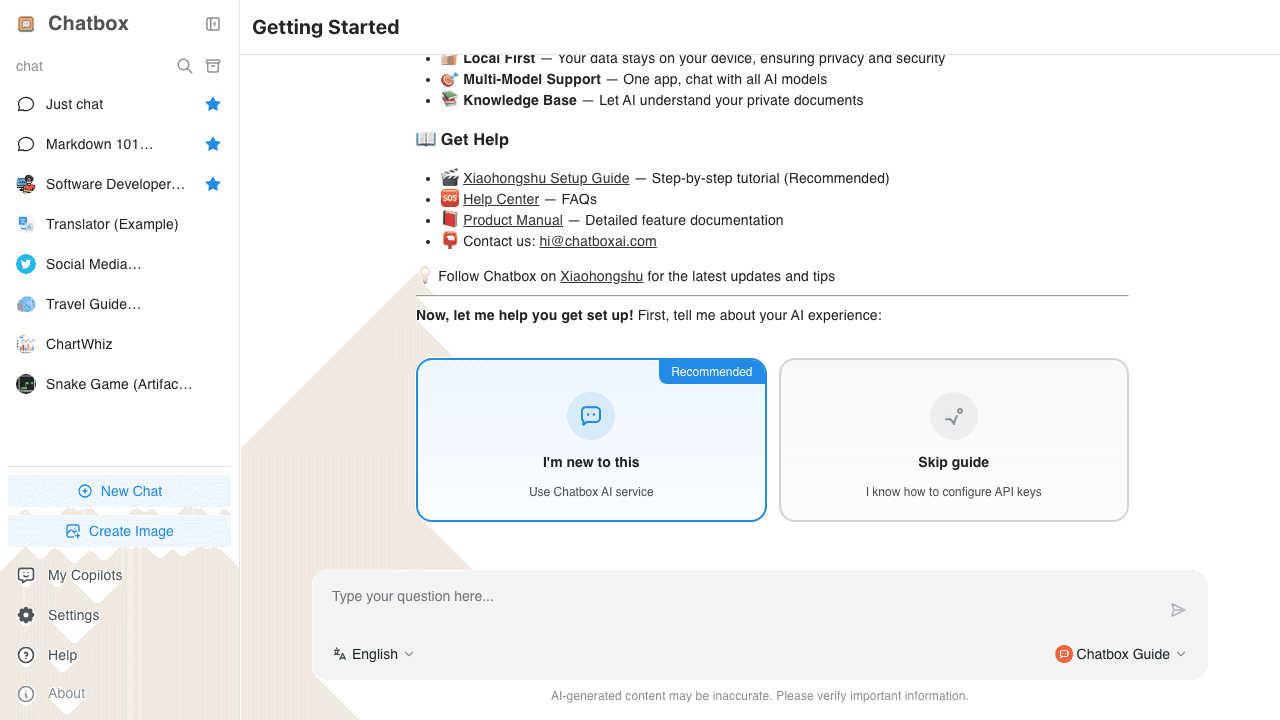
Step 1: Open Settings
- Open the Chatbox app
- Click the "Settings" entry in the bottom left
- Select "AI Provider" or "Model Settings"
Step 2: Add OpenRouter
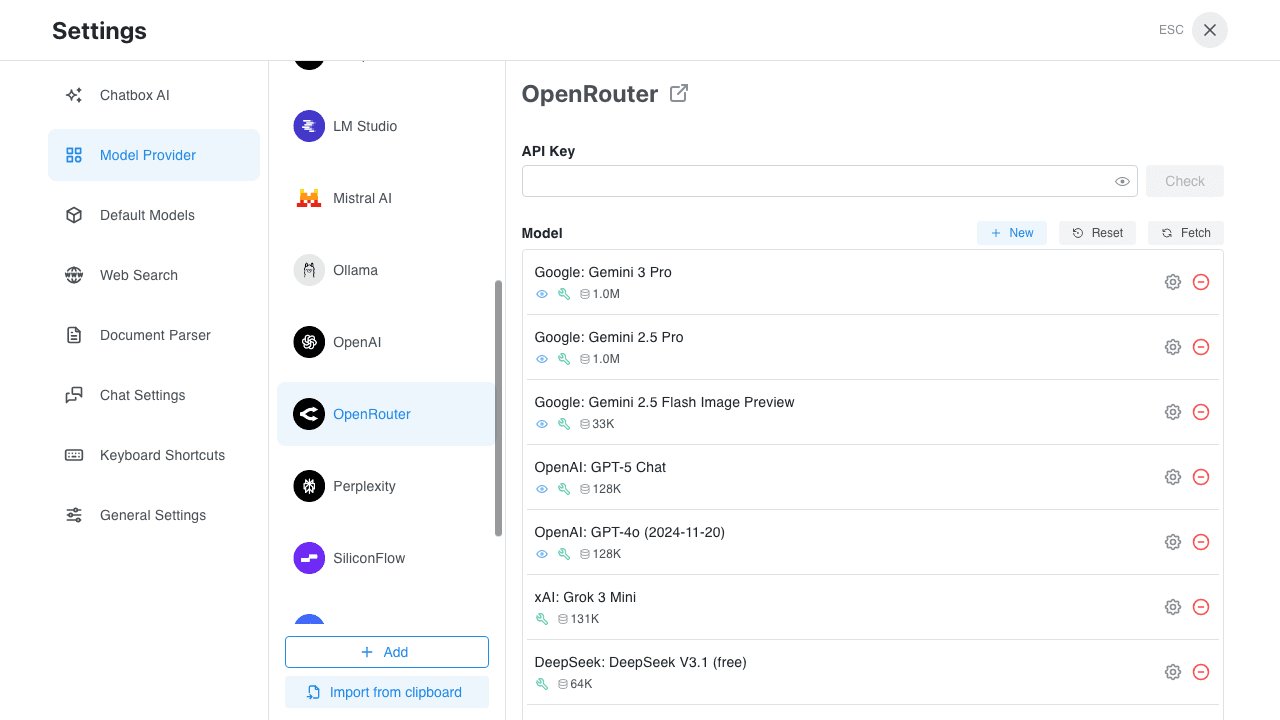
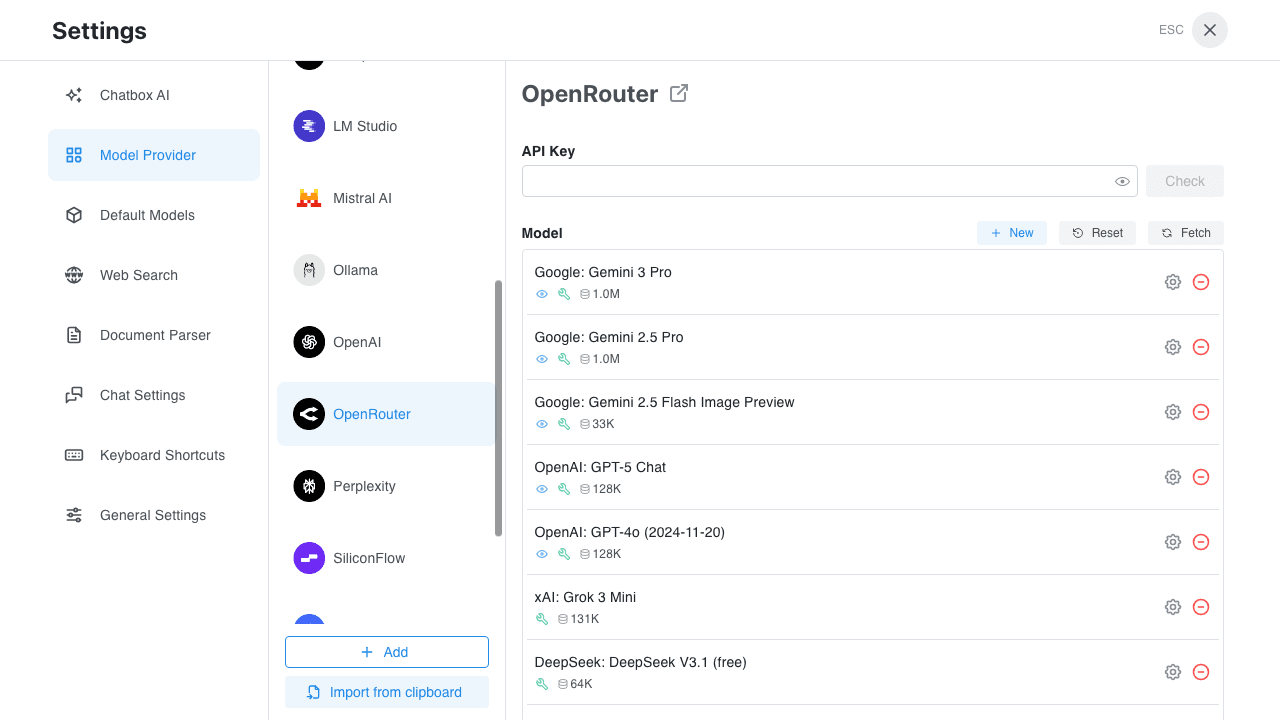
- Click "Add Provider"
- Select "OpenRouter" or "OpenAI API Compatible"
- Configure the following:
- API Host:
https://openrouter.ai/api/v1 - API Key: Paste your OpenRouter key
- API Host:
Step 3: Select a Model
OpenRouter supports many models. Here are some popular choices:
| Model ID | Name | Features |
|---|---|---|
openai/gpt-5.2 | GPT 5.2 | OpenAI's latest flagship |
anthropic/claude-sonnet-4.5 | Claude Sonnet 4.5 | Long text, coding |
google/gemini-3-pro-preview | Gemini 3 Pro | Multimodal, long context |
meta-llama/llama-3.3-70b-instruct | Llama 3.3 70B | Strongest open-source |
mistralai/mistral-large | Mistral Large | Leading European model |
deepseek/deepseek-chat | DeepSeek Chat | Great value |
Model IDs change frequently. Verify the latest IDs on the OpenRouter models page or via
https://openrouter.ai/api/v1/models.
Pricing
OpenRouter pricing is model-specific and changes as model providers update their rates.
- For the latest per-model prices, check the OpenRouter models page
- Verify the selected model's current price in your OpenRouter dashboard before production usage
Free Models
OpenRouter also offers some free models:
meta-llama/llama-3.2-1b-instruct:freegoogle/gemma-2-9b-it:freemistralai/mistral-7b-instruct:free
OpenRouter Advantages
One-Stop Access
No need to register multiple provider accounts. One OpenRouter account accesses:
- All OpenAI models
- Anthropic Claude series
- Google Gemini series
- Meta Llama series
- And many more open-source and commercial models
Flexible Switching
Switch models anytime to compare different results:
- Use cheaper models for daily chat
- Use premium models for complex tasks
- No additional configuration needed
Transparent Billing
- Clear display of Token consumption per request
- Real-time balance and usage history
- No hidden fees
Common Issues
API Key Not Working
Possible causes:
- Key has been revoked
- Insufficient account balance
- Model requires extra authorization
Solutions:
- Check key status in OpenRouter
- Confirm account has balance
- Some models require identity verification
A Model is Unavailable
Possible causes:
- Model temporarily offline
- Requires extra authorization
- Incorrect model ID
Solutions:
- Confirm model availability on OpenRouter models page
- Some advanced models require identity verification
- Check if model ID is correct
Unstable Response Speed
Cause: As a middleware, OpenRouter speed is affected by multiple factors
Optimization tips:
- Choose models marked as "fast"
- Avoid many requests during peak hours
- Try different models
How to Choose Models
Recommendations:
- Daily chat:
deepseek/deepseek-chat(cheap) - Complex tasks:
openai/gpt-5.2oranthropic/claude-sonnet-4.5 - Coding tasks:
deepseek/deepseek-coder - Free trial: Choose models with
:freesuffix
Usage Tips
-
Start with free models: Experience free models first to understand how the platform works
-
Choose models based on needs:
- Simple tasks: use cheaper models
- Important tasks: use premium models
-
Monitor your balance: Regularly check account balance to avoid sudden interruptions
-
Explore new models: OpenRouter frequently adds new models, stay updated
-
Compare models: Try different models on the same task to find the best fit