Tencent Hunyuan Setup
Connect Tencent Hunyuan to Chatbox through its OpenAI-compatible API, configure the endpoint, and troubleshoot key and model access.
ℹ️
Tencent is moving new model services to TokenHub. The steps below apply to existing Hunyuan API accounts. For new services, use the endpoint and key issued by TokenHub; do not mix credentials between platforms.
Get an API Key
Create a Tencent Hunyuan API Key in the Tencent Cloud API Key Management Console. Keep the key private and do not upload or share it publicly.
Configure the Provider
- Open Settings → Model Provider → Add.
💡
On mobile, tap the menu in the top-left corner to expand the sidebar before opening Settings.
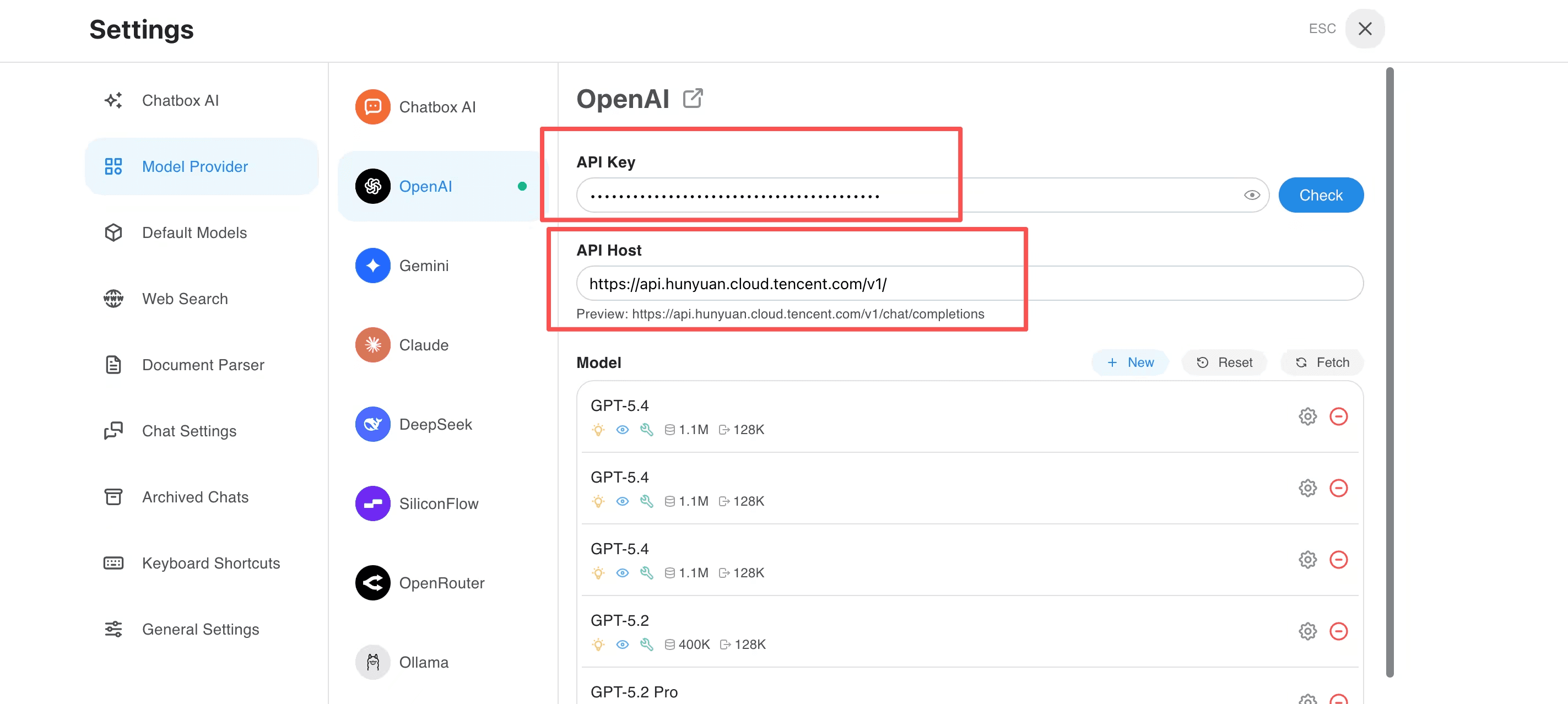
- Enter a provider name and select OpenAI API Compatible as the API mode.
- Set the API Host to
https://api.hunyuan.cloud.tencent.com/v1/. - Paste your Tencent Hunyuan API Key into API Key and leave the other fields blank.
- Save the provider.
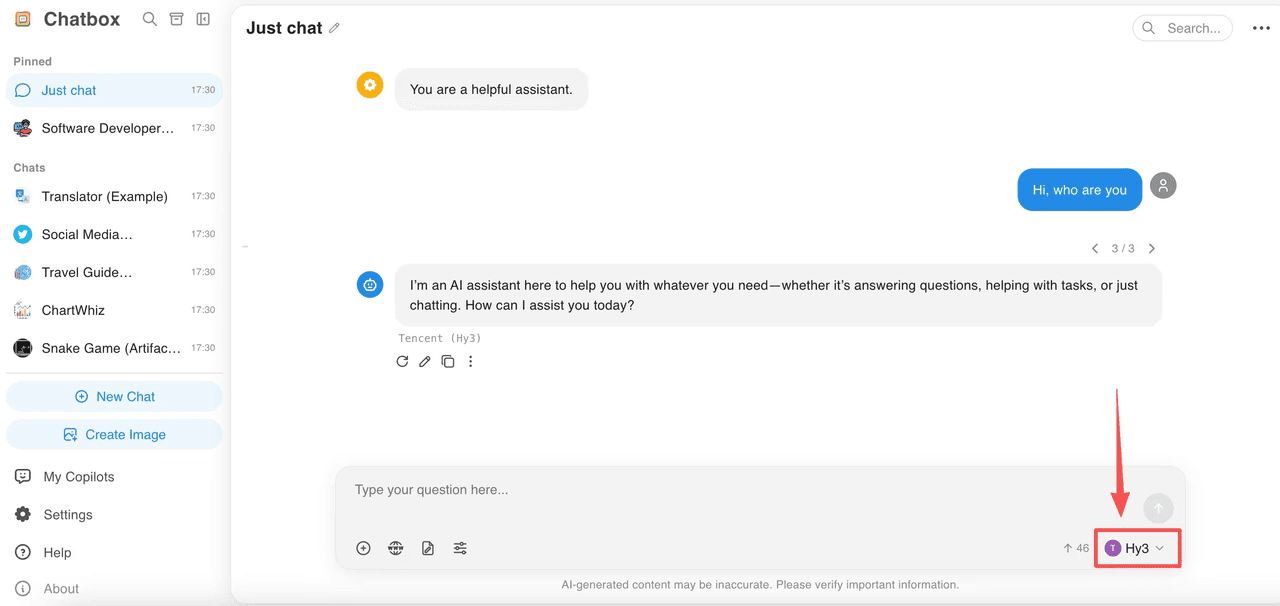
Select a model available to your account from the model list to start a new chat.
Troubleshooting
Use the API Key created for the compatible endpoint, not a Tencent Cloud SecretId/SecretKey pair. Check that the full URL ends in /v1/chat/completions. If a model is unavailable, check your account’s service access and the migration notice above.
Related guides
All providers · Choose a provider · Connection troubleshooting