DeepSeek Setup
Connect DeepSeek to Chatbox with your own API key, choose a model, and troubleshoot authentication or balance errors.
Get an API Key
Create an API Key in the DeepSeek Platform.
Configure the Provider
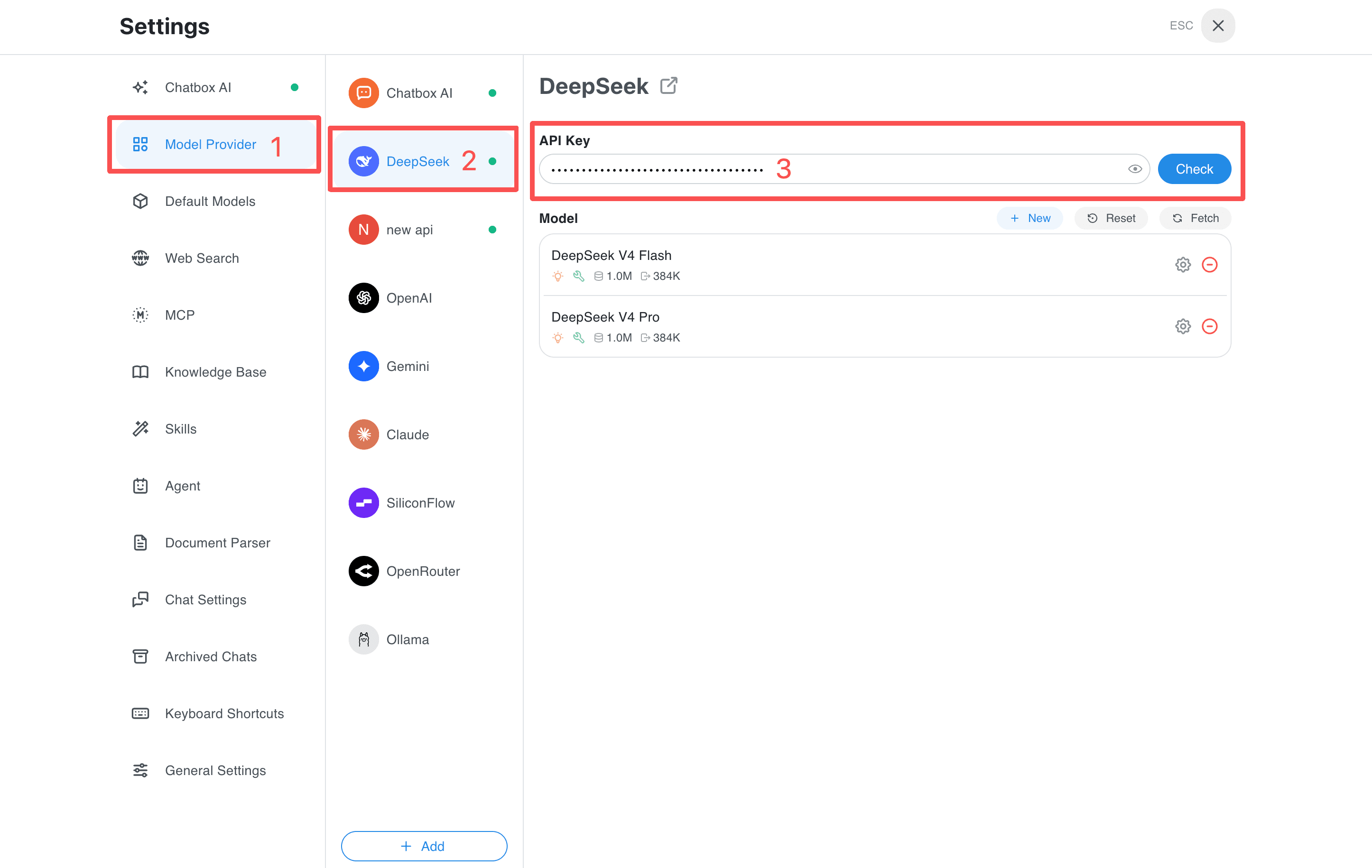
- Open Chatbox and click Settings in the bottom-left corner.
- Select Model Provider in the left sidebar, then find DeepSeek.
- Paste your DeepSeek API Key into the API Key field.
- Click Check. When the connection test succeeds, the provider is ready.
Start Using DeepSeek
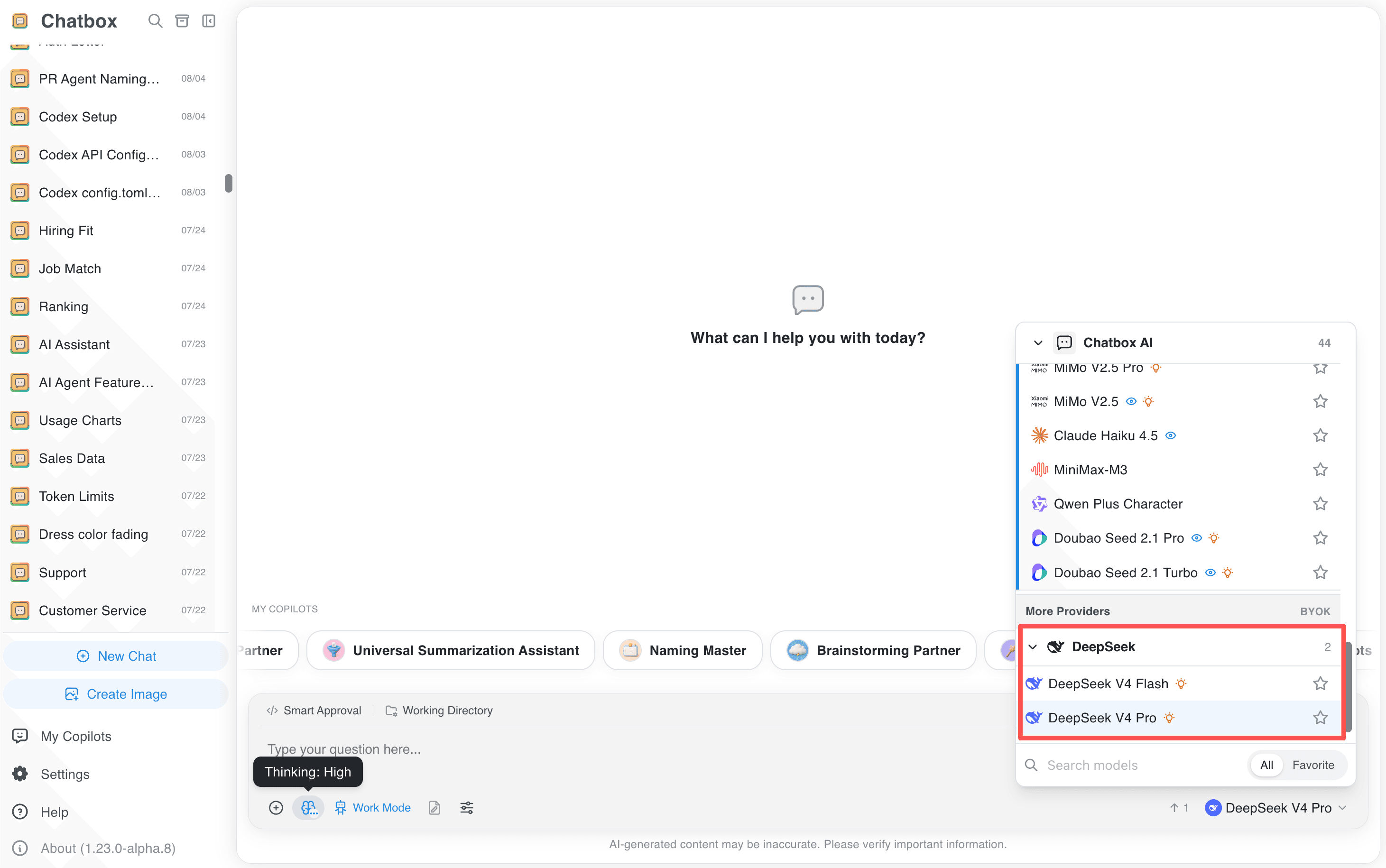
Choose an available model from the model selector. Context limits and reasoning options depend on the selected model and your Chatbox version; check the current DeepSeek model documentation before setting custom limits.
Going Further
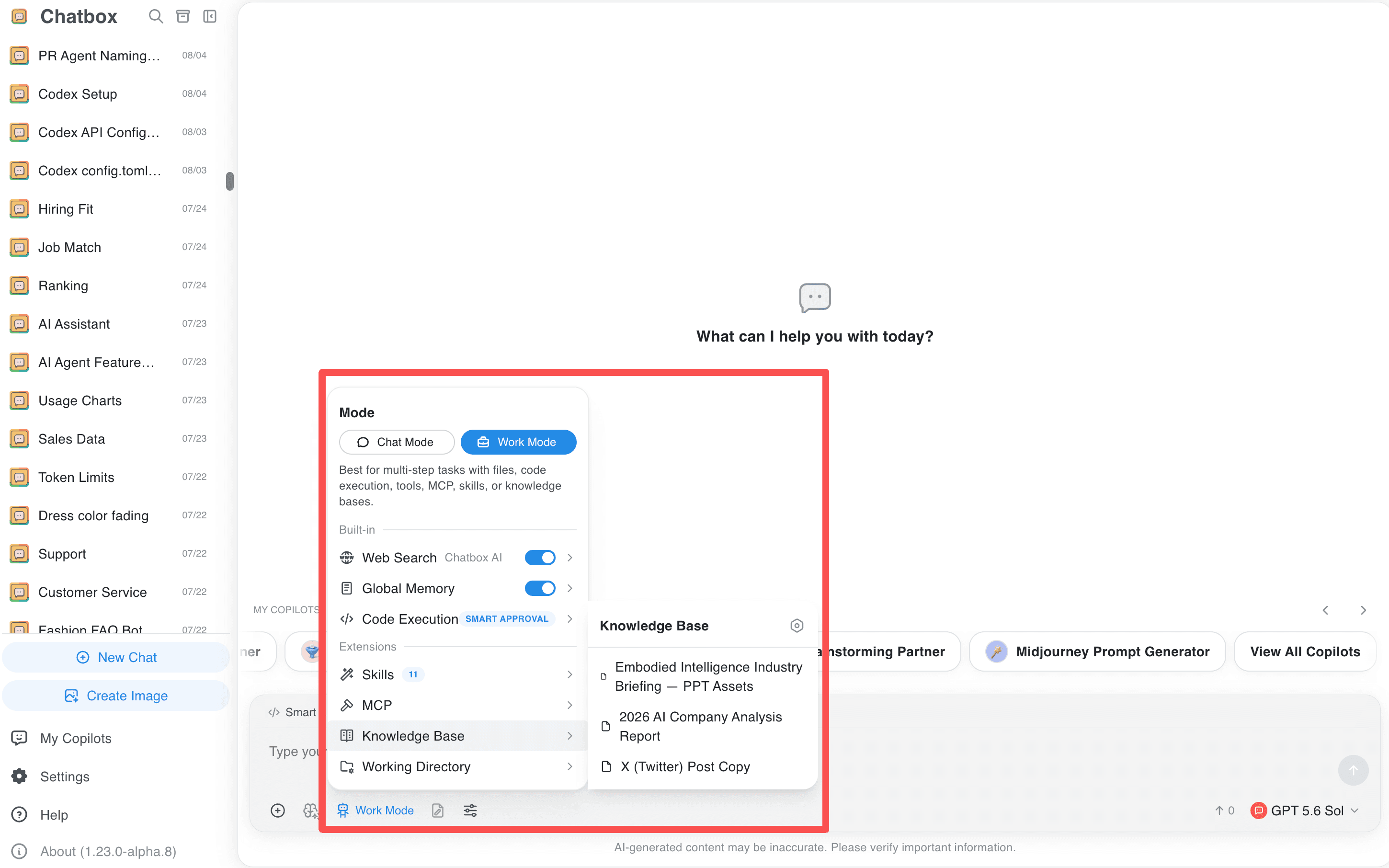
After configuration, the provider can also be used in Work Mode, including AI agents, code execution, MCP servers, skills, knowledge bases, and global memory.
Troubleshooting
If authentication fails, recreate the key in the DeepSeek API platform; a Chatbox AI license is not a DeepSeek API key. For quota errors, check the API balance. Refresh the model list if a model is unavailable.
Related guides
All providers · Choose a provider · Connection troubleshooting