- Home
- Help Center
- How to Use Your License
How to Use Your License
To make it easier for you to experience AI and product features, Chatbox officially provides a hosted model provider named Chatbox AI. You can easily unlock different AI models by purchasing a License.
This tutorial will guide you how to use Chatbox AI as your model provider.
Prerequisites
- A valid License Key - Get one here
- Chatbox client installed - Download now
Or try Chatbox Web directly in your browser
Integration Process
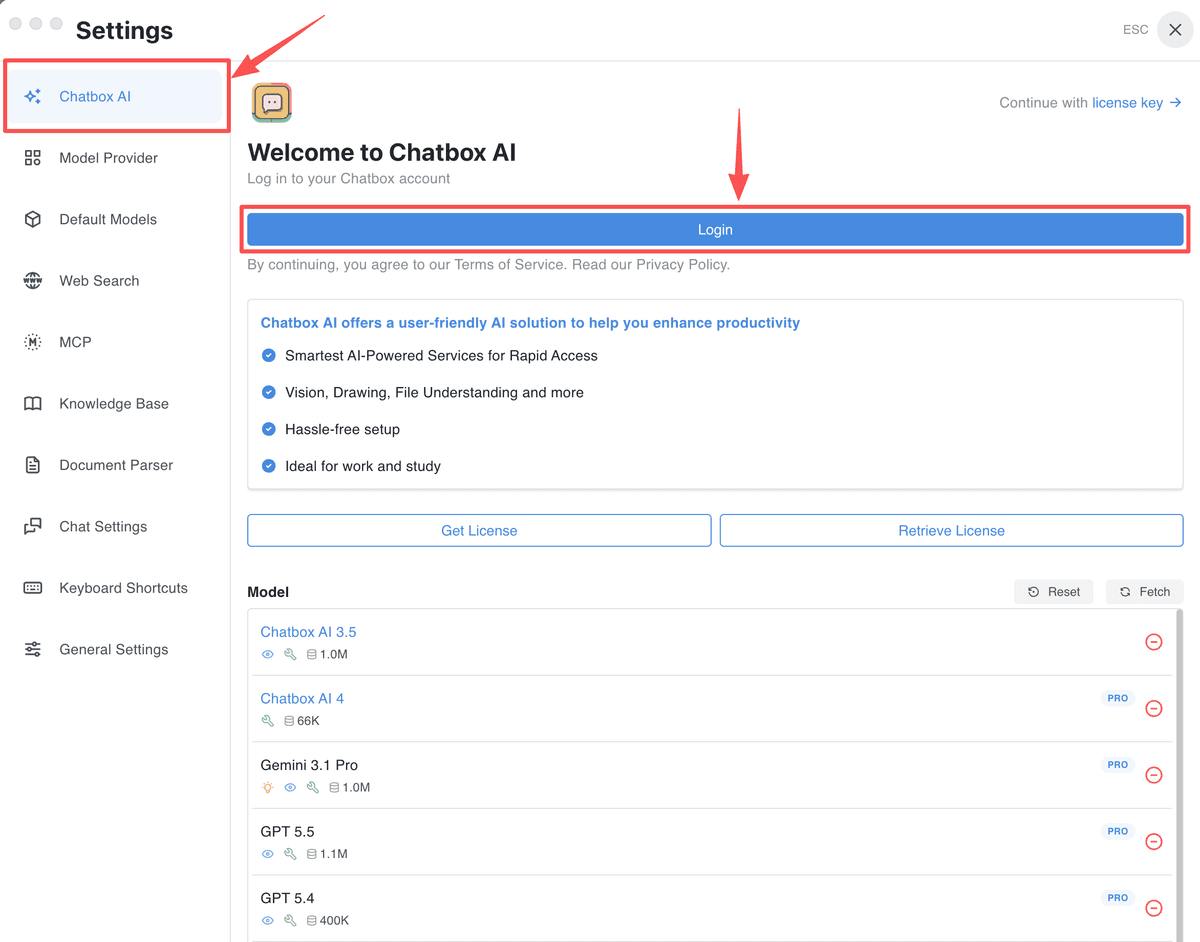
- Open the Chatbox client and go to the Settings.
- Click Chatbox AI.
- Click Login, fill in your email and verification code to log in.
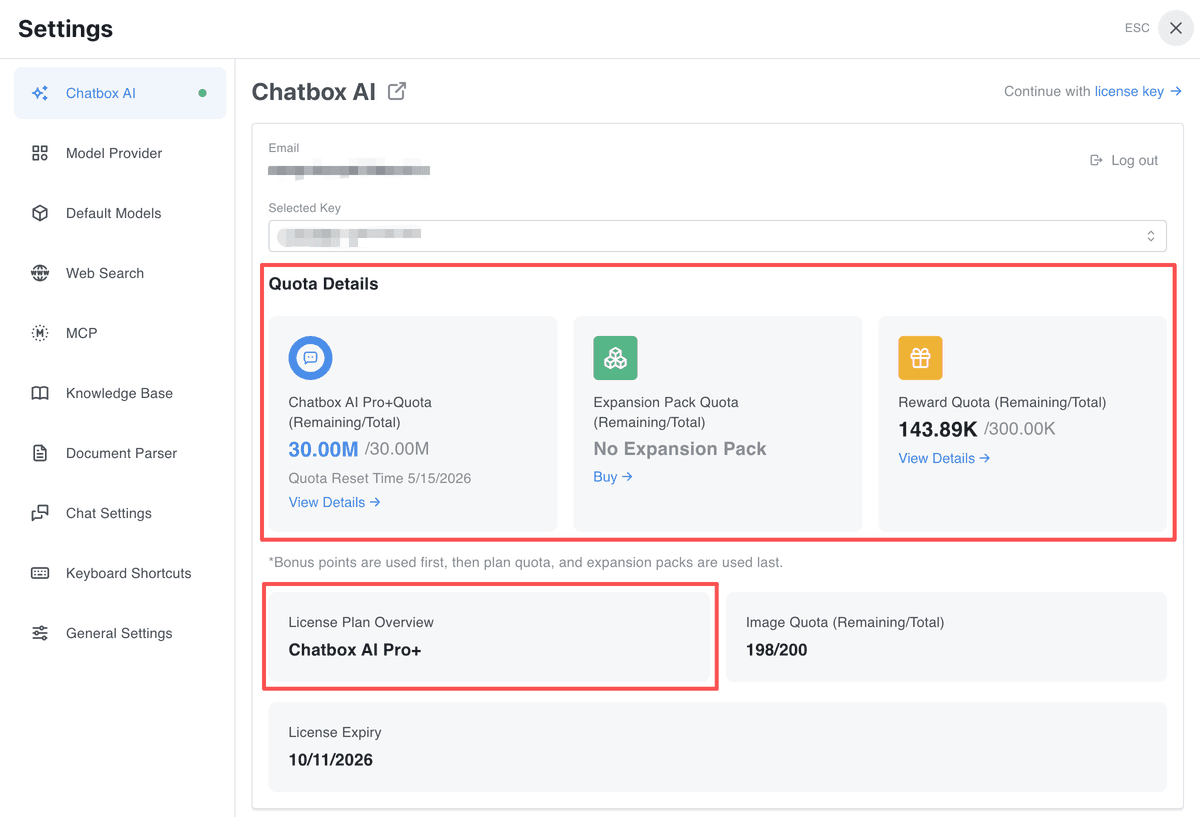
- After successful login, you will see your email, license key, along with your plan information and compute points usage, etc.
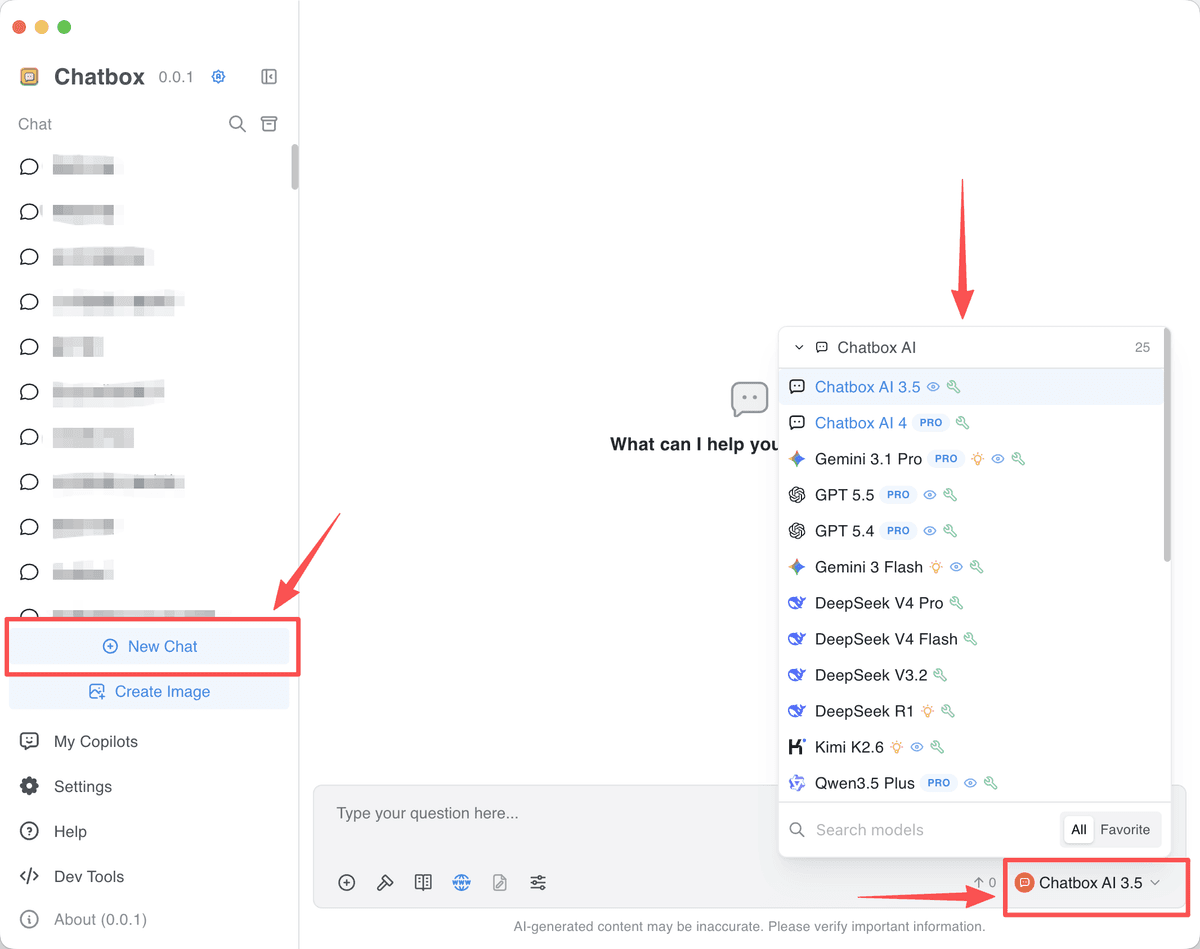
- Click the New Chat button in the bottom left corner, then you can select various models hosted by Chatbox AI service in the bottom right of the chat box.
- Select a preferred model and start chatting with AI 🚀🚀🚀.
Advanced models marked with "Pro" label in the model list are only available to Chatbox AI Pro and Chatbox AI Pro+ Plan.