Chatbox AI:
Chat and Work with Multiple AI Models.
All in One Place.
Access leading AI models including GPT, Claude, Gemini, Grok, DeepSeek, and morein one privacy-focused AI app with your own API keys. Use Work Mode for advancedagentic workflows. Start for free on desktop, mobile, and web.Access leading AI models including GPT, Claude, Gemini, Grok, DeepSeek, and more in one privacy-focused AI app with your own API keys. Use Work Mode for advanced agentic workflows. Start for free on desktop, mobile, and web.


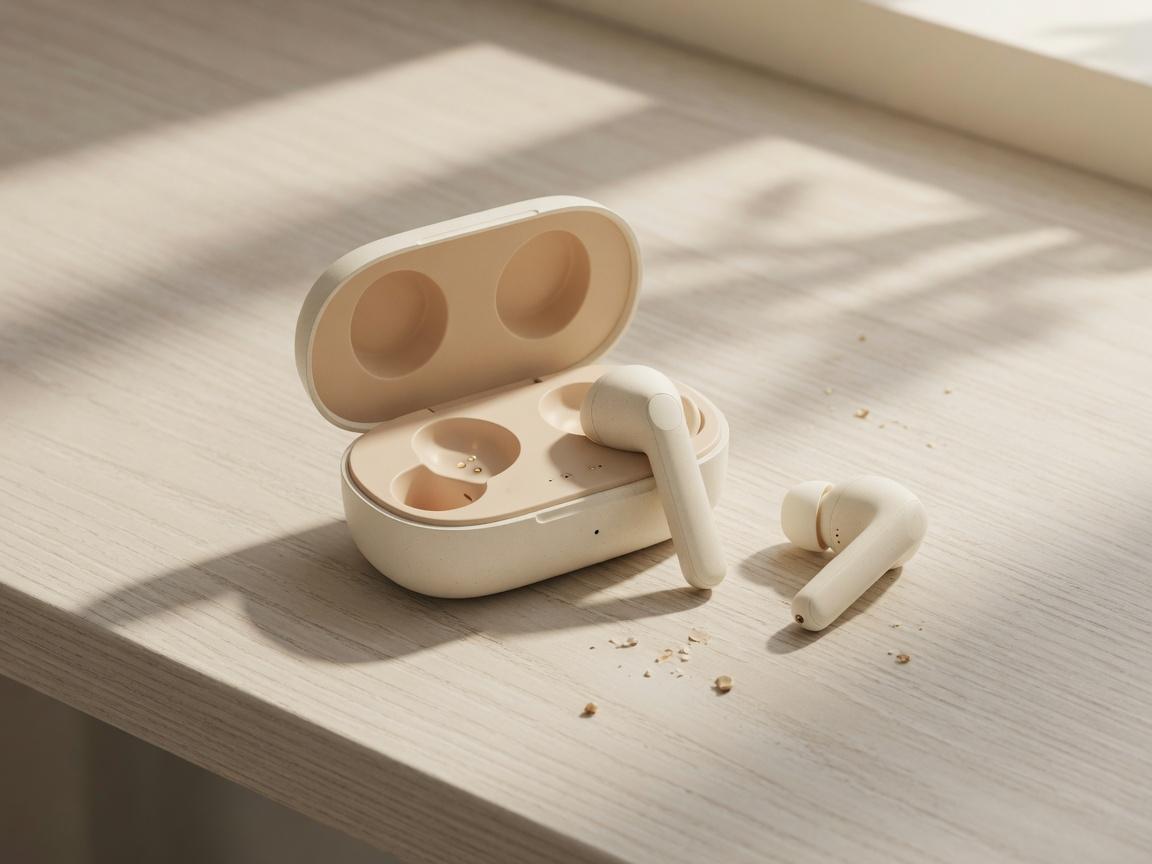

File & Image Chat
What you can do with Chatbox
Explore files, search the web, and build your own local knowledge base in one place.
Just give your files to Chatbox—whether they are PDFs, Word documents, images, or code snippets, it can understand the content, summarize the key points, answer questions, and extract useful information—turning every file into something you can chat with.
Real-Time Web Search. Chatbox searches the internet in real time to deliver the latest news, up-to-date data, and fact-checked information—so every answer is timely, accurate, and trustworthy.
Store your documents in a local knowledge base, and Chatbox will remember and understand them. Your data stays stored locally, so your knowledge remains yours—and is ready to answer whenever you need it.
Built for deeper work
Present complex work clearly, generate ideas faster, and keep your data under your control.
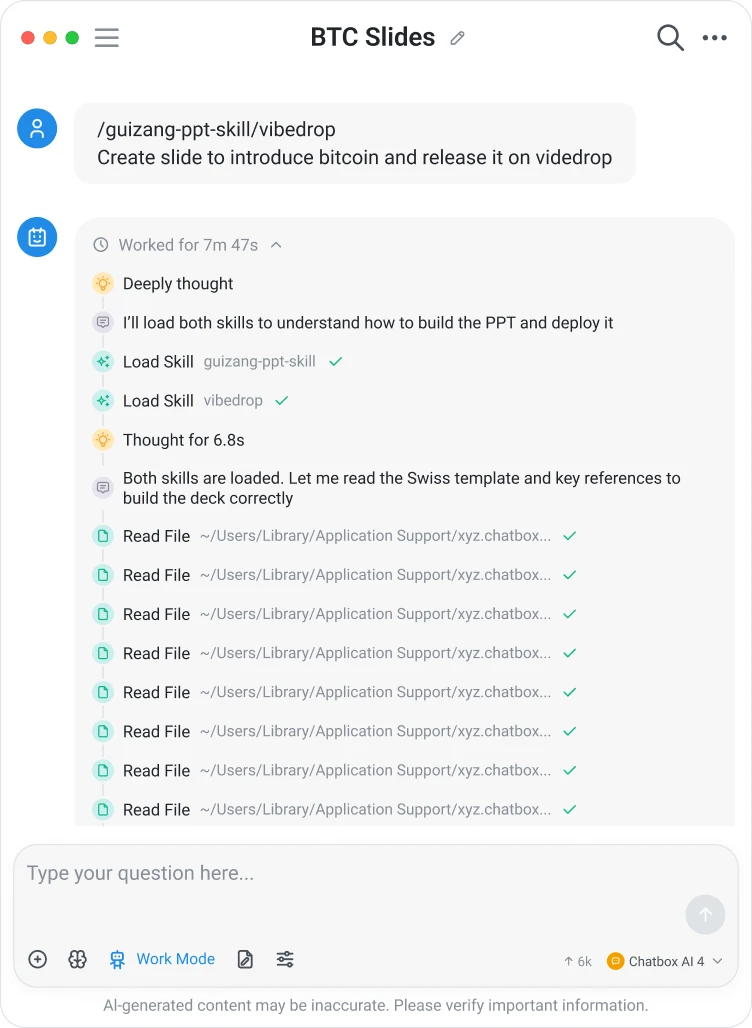
Let AI get the work done
With Work Mode, an Agent can build AI chatbots, work with your files, search the web, write code, use tools, and take action autonomously. Just tell it what you want to achieve, and let AI handle the rest.
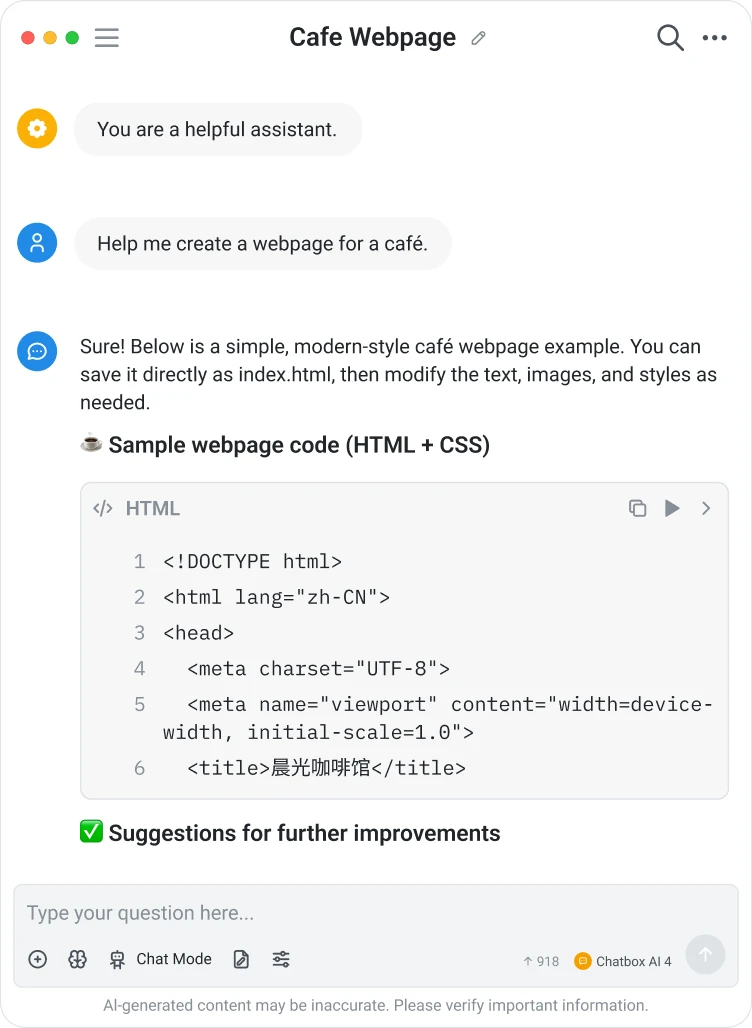
Code generation with live preview
Write prompts naturally and watch your code update in real time, with instant previews that help you iterate faster.
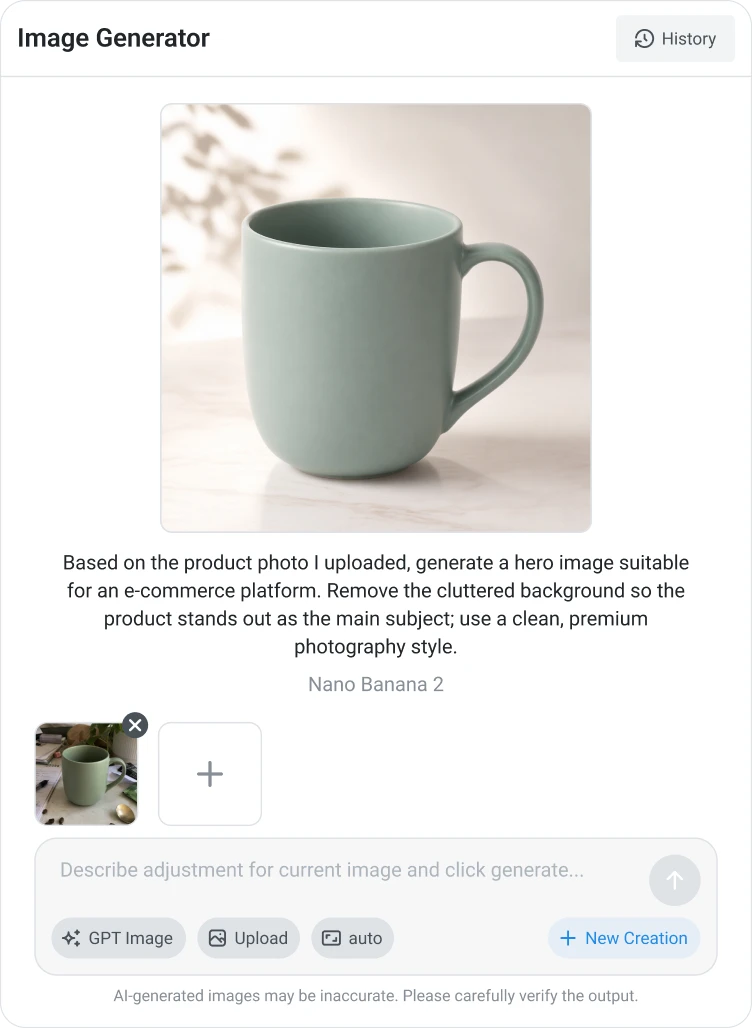
AI image generation
Turn ideas into visuals.
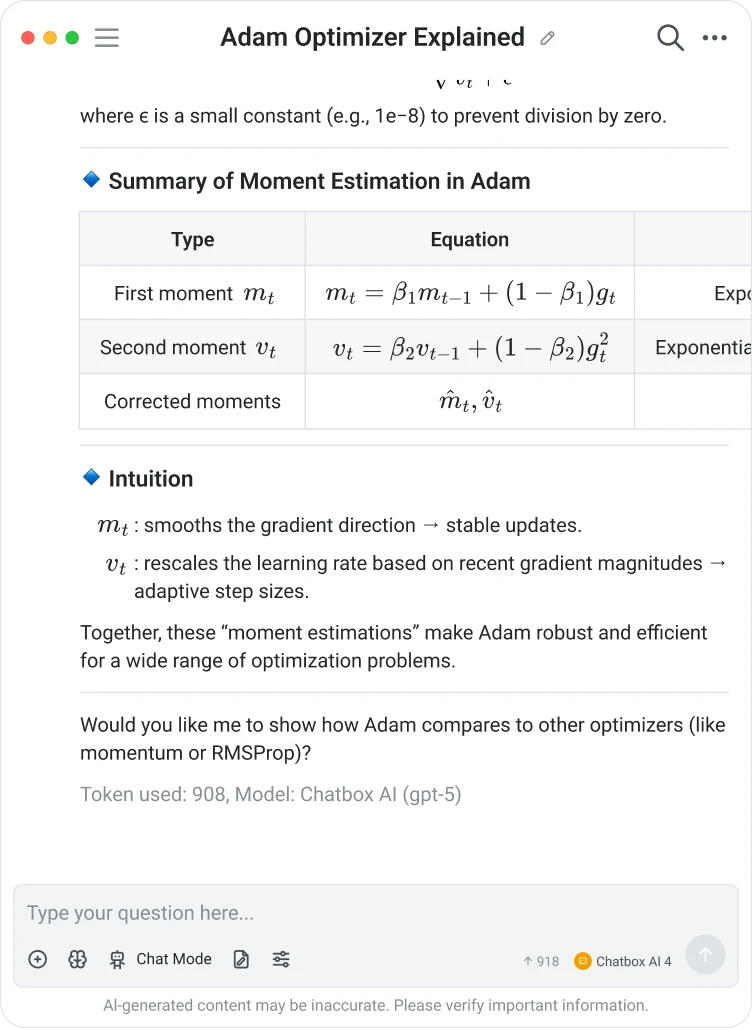
Advanced charts and formula rendering
Present Mermaid diagrams, LaTeX formulas, and Markdown with clarity.

Built for privacy
See why thousands of users choose Chatbox for faster, smarter, and more private work

Chatbox revolutionizes the way you interact with artificial intelligence. This is an amazing application.
I have greatly enjoyed utilizing the Chatbox, as it has proven to be a valuable time and energy-saving tool in both my personal and professional endeavors. I first became acquainted with Chatbox through the Jike app and have been consistently using it since its initial version. I am tremendously grateful to Benn for developing this remarkable software.

Chatbox has changed the way I use language models. Thank you so much!

Very epic software. Good job
This is great, thanks for sharing. I’m looking forward to adding the ability to talk to files and urls.
Chatbox revolutionizes the way you interact with artificial intelligence. This is an amazing application.
I have greatly enjoyed utilizing the Chatbox, as it has proven to be a valuable time and energy-saving tool in both my personal and professional endeavors. I first became acquainted with Chatbox through the Jike app and have been consistently using it since its initial version. I am tremendously grateful to Benn for developing this remarkable software.
Chatbox has changed the way I use language models. Thank you so much!
Very epic software. Good job
This is great, thanks for sharing. I’m looking forward to adding the ability to talk to files and urls.

I've been using this tool for quite a while now (since version ~0.4 I believe) and it has become indispensable for me as a productivity multiplier, not just for writing software but for various things in life. Benn has been great at quickly folding in new LLMs and APIs as they become available and improving the performance of Chatbox. I love this tool!

HOOO! GOD! It is my necessity. I recommended it to many people.
I've casually thought about making something like this, but was just making do with a combination of davinci playground. This is definitely useful! Thanks a lot

This is amazing work, I was building something similar but now dont have to waste resources. Thanks for the app keep pushing to make it better
I've been using this tool for quite a while now (since version ~0.4 I believe) and it has become indispensable for me as a productivity multiplier, not just for writing software but for various things in life. Benn has been great at quickly folding in new LLMs and APIs as they become available and improving the performance of Chatbox. I love this tool!
HOOO! GOD! It is my necessity. I recommended it to many people.
I've casually thought about making something like this, but was just making do with a combination of davinci playground. This is definitely useful! Thanks a lot
This is amazing work, I was building something similar but now dont have to waste resources. Thanks for the app keep pushing to make it better

I have been using this app on daily basis . Very good app . The only complain is there is no auto spelling check and correction when I input the text . other than that , I really like it.
I have been using chatbox, I hope it will get better and better
When I use Chatbox, I feel happy. Thank you for creating this application.

Most useful tool I have used lately. Thank you!!
I have been using this app on daily basis . Very good app . The only complain is there is no auto spelling check and correction when I input the text . other than that , I really like it.
I have been using chatbox, I hope it will get better and better
When I use Chatbox, I feel happy. Thank you for creating this application.
Most useful tool I have used lately. Thank you!!
Start free,
or subscribe from $3.99/month
Use your own API key, or subscribe to Chatbox AI for hosted models.
Frequently asked questions
Answers to the most frequently asked questions. For more information, please visit the Help Center.
New users who have not purchased any plan can try Chatbox AI service for free, with daily quota refreshed every day.
How to claim: Visit the Chatbox website and log in to your account, then you will see the free plan entry.
With Chatbox AI, you can create unique and original images in a way that was never possible before. Simply type in a description of your desired picture, such as "a cartoon cat drinking coffee", and Chatbox AI will bring your vision to life.

As you are, in theory, the creator of the image, you have the right to assert copyright and determine how the image is utilized. However, it is crucial to ensure the image is not deployed in any manner that violates local laws or offends public decency.
Knowledge Base is a feature exclusive to the desktop app, which allows AI to understand and search your private documents.
To use this feature, please visit the Chatbox website to download the desktop app (available for Windows / macOS / Linux).
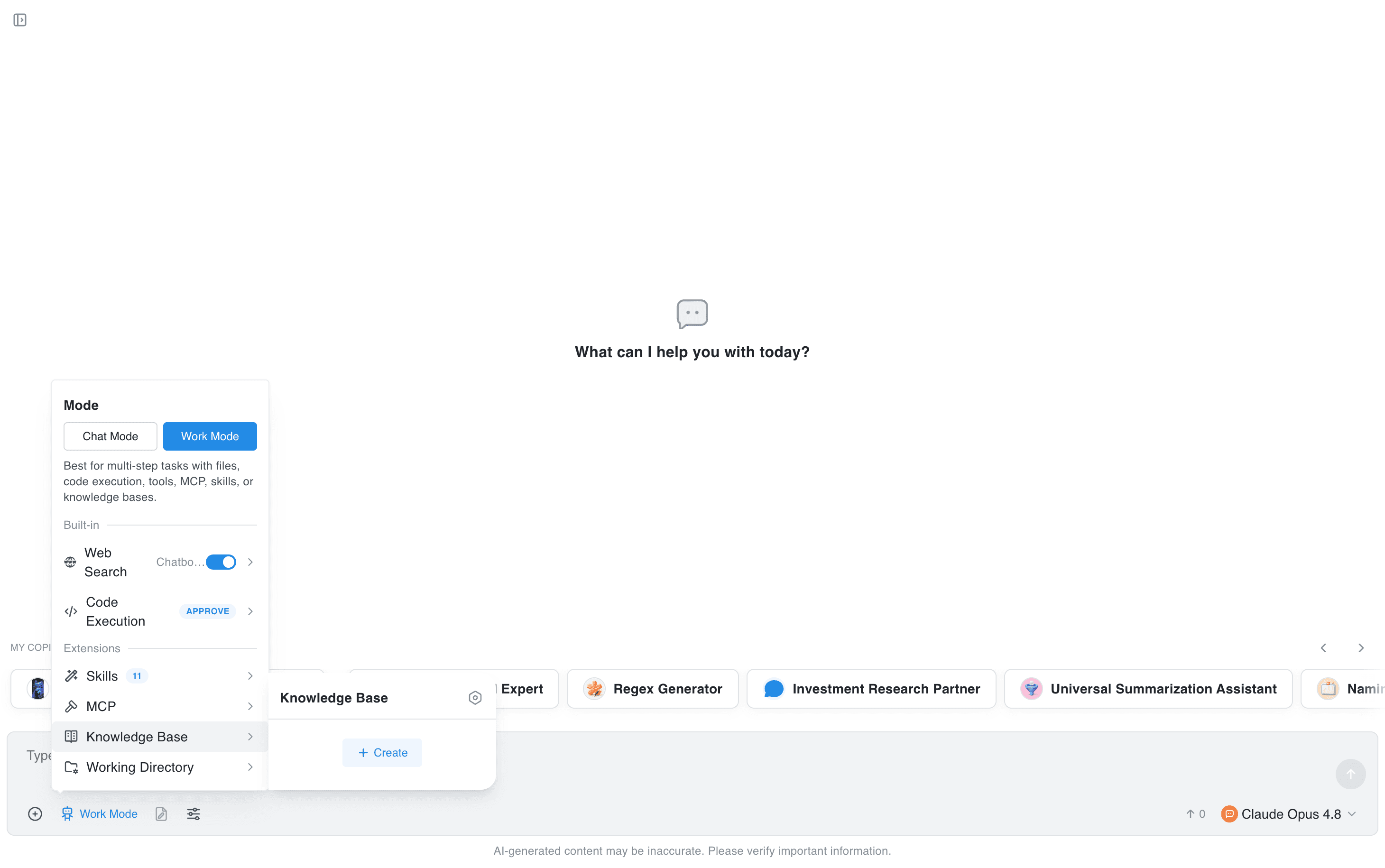
How to use it:
- In the input box, click “Chat Mode” or “Work Mode”.
- Find “Knowledge Base”.
- Click “+ Create” on the right.
- On the Settings page, click “Add” or “Create your first knowledge base”.
- Choose “Create Knowledge Base” in the dialog and name your knowledge base.
- Click “Add Files” below the knowledge base you created.
- Drag files in, or click to upload them.
- Click “ESC” in the upper-right corner to exit Knowledge Base settings.
- Repeat steps 1 and 2, then select one knowledge base you need, such as “Jusheng Intelligent PPT Creation Materials”.
- Enter an instruction in the input box: “Based on the knowledge base documents, then …”
Note: Each file must be smaller than 50 MB. Supported formats: pdf, docx, txt, md, rtf, pptx, xlsx, csv, epub, jpg, jpeg, png, gif, webp, bmp.
Your chat history is stored locally, and your order information is securely stored on Stripe and the Chatbox backend database. We take your data and privacy security very seriously – for details, please check our privacy policy.
If you have any other inquiries, suggestions, or encounter any errors or issues, please submit a feedback
Chatbox Help Center
Find quick solutions and useful guides to get the most out of Chatbox. We are here to help every step of the way