⚠️
This page is not yet translated, showing English version
Interface Overview
Sidebar
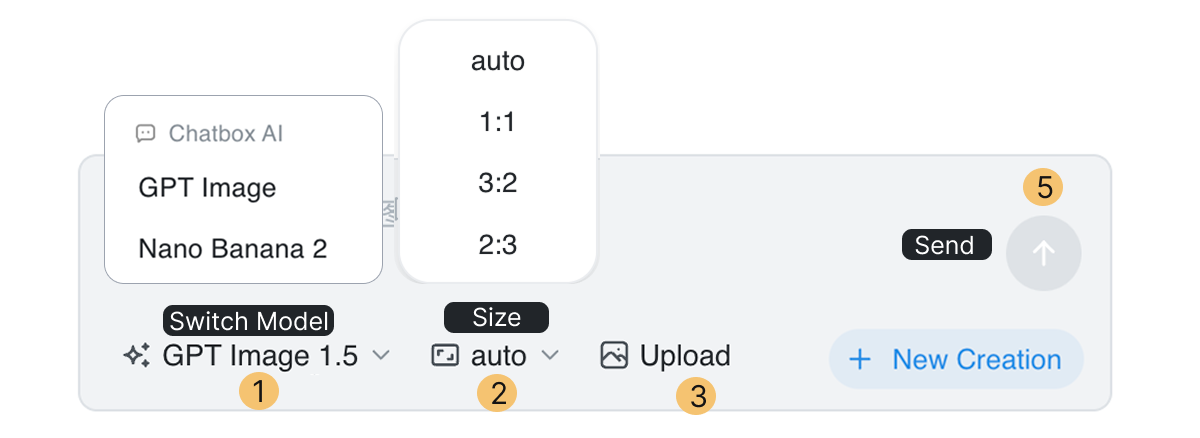
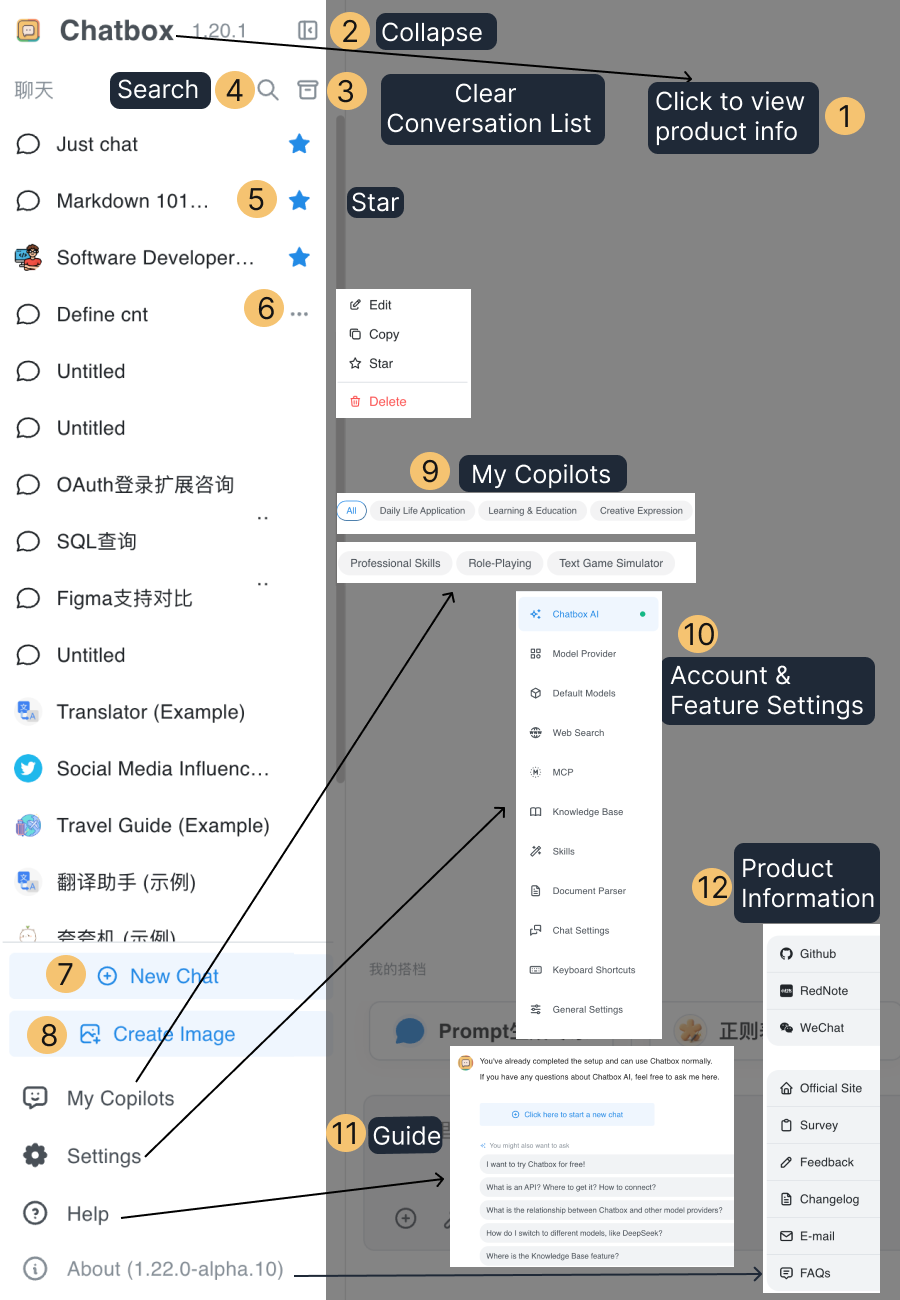
The sidebar shows entry points for new chats, search, image generation, and My Copilots; your chat list grouped into Pinned, Projects, and Chats; and Settings, Help, and About at the bottom.
Conversation Area
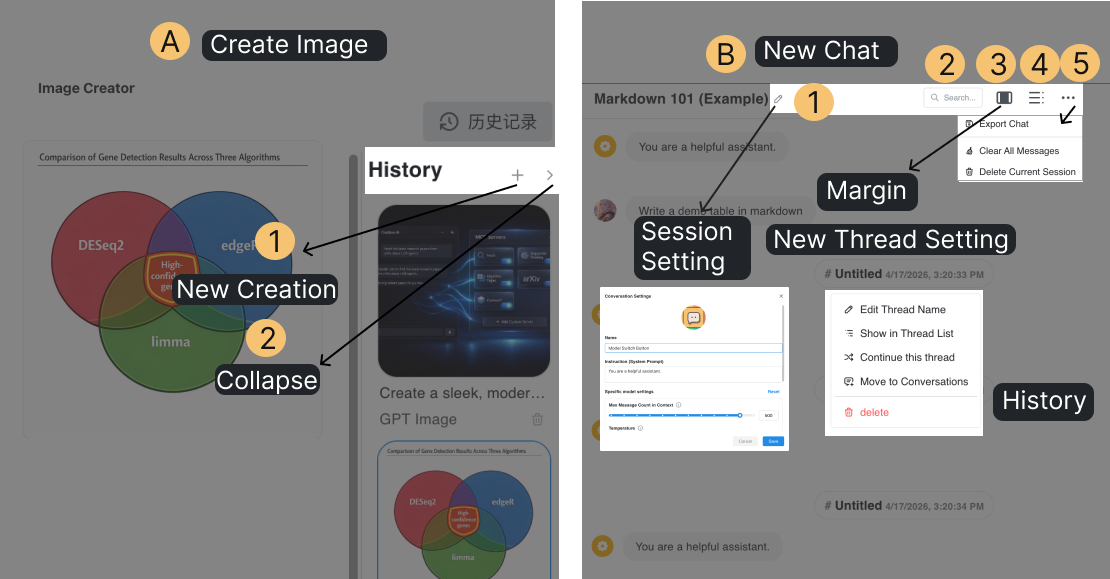
The conversation area shows the current conversation messages.
Input Box
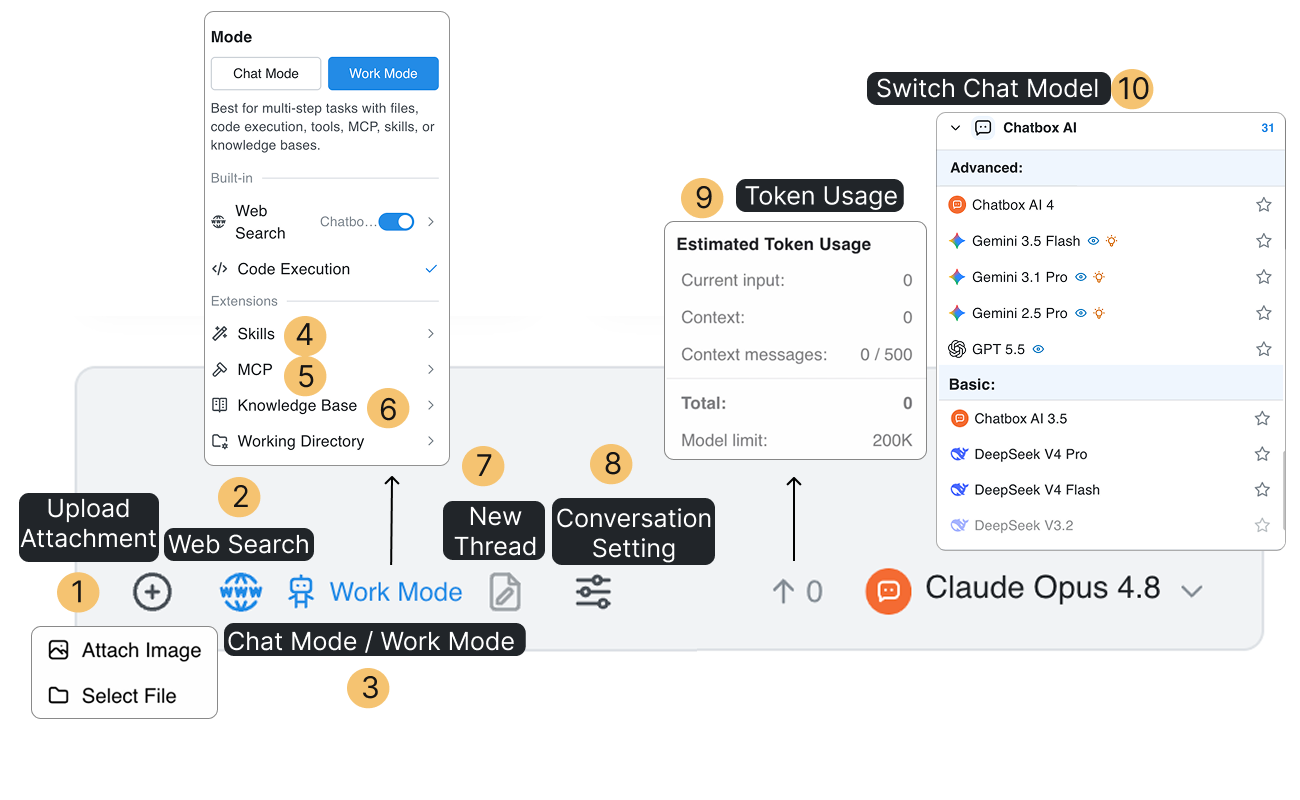
Use the input box at the bottom to enter your prompt, add attachments, switch between Chat Mode and Work Mode (where you also turn on web search, knowledge bases, and other tools), adjust conversation settings, and choose a model.